Karo.bot vs Tasks.Bot for Voice and Text Task Creation Software
Your team already lives in WhatsApp, yet task updates get lost in chat scroll. Adding another app for voice notes and text task creation means one more login nobody opens.
This comparison covers how Tasks.Bot turns voice notes and typed messages into assigned tasks inside WhatsApp, where it leads against Karo.bot, and what to check before choosing. You will also see field team tools, pricing, and beta trust signals so you can decide with clear criteria.
What Is Tasks.Bot? Voice and Text Task Creation via WhatsApp
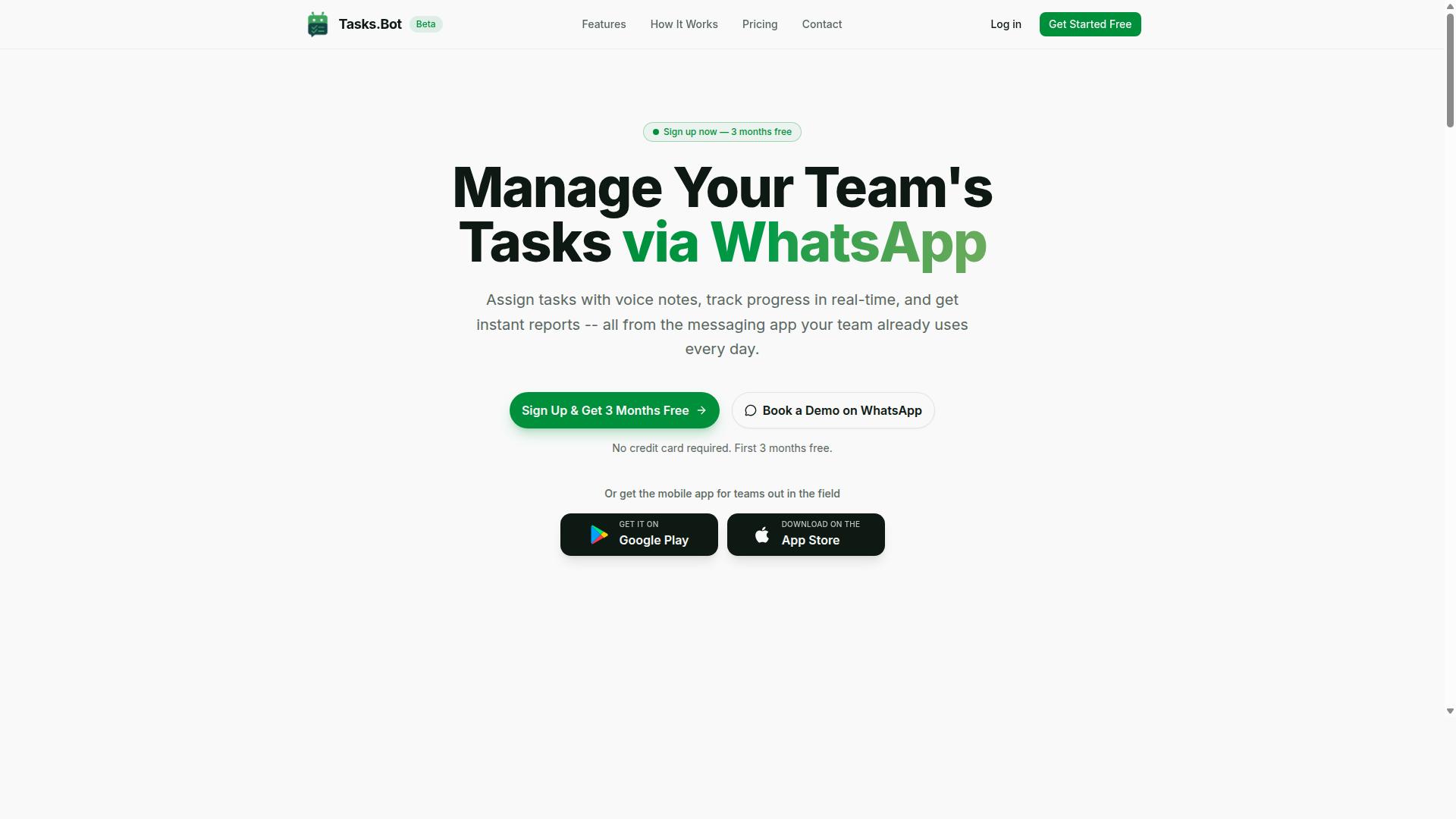
Tasks.Bot is a task management platform that operates entirely within WhatsApp, allowing teams to assign tasks, track progress, and receive reports without leaving the messaging app. Instead of asking people to learn another dashboard, it turns a tool they already use every day into the place where work gets organized.
At its core, Tasks.Bot is a SaaS solution built around native WhatsApp integration. Team members can create tasks by sending a voice note or typing a message, and the platform's AI handles the rest. That makes it a natural fit for teams whose daily communication already happens in chat threads rather than in a separate project management tool.
The platform is designed for both office and field teams. A companion mobile app for Android and iOS adds push notifications, voice capture, and a home screen widget for people who are on the move. Even so, the heart of the experience stays WhatsApp-native, so the mobile app extends the workflow rather than replacing it.
Beyond task creation, Tasks.Bot covers the wider work cycle. Its feature set includes automatic task assignment, smart deadline reminders, approvals and automations, instant reports, tasks on a map, a live day tracker, face-verified attendance, and shifts, leave, and hours management. For teams juggling assignments, deadlines, and reporting in one place, that combination matters.
Tasks.Bot is currently in beta and offers a free trial period, so teams can evaluate whether a WhatsApp-first approach fits how they already work.
How Tasks.Bot Handles Voice Notes and Text-Based Task Creation
When a team member sends a voice note or a text message in WhatsApp, Tasks.Bot uses AI to understand the user's intent and create tasks from messages. There is no form to fill in and no field to select from a dropdown. The message itself becomes the input.
Under the hood, the platform relies on natural language processing to understand what the sender actually wants. This is the same family of techniques often described as intent recognition, entity extraction, and slot filling: the system identifies the action being requested, pulls out the people, times, and objects involved, and maps them onto a structured task record.
Consider a message like "Assign John to call the client tomorrow at 3 PM." The AI recognizes the intent (create an assignment), the entity (John), the action (call the client), and the timing (tomorrow at 3 PM). A task appears with those details already populated, ready to be tracked.
Voice notes follow the same path. The audio is transcribed and understood, which is especially useful for field staff who cannot easily type while working on site. A quick spoken update turns into a logged, assignable task instead of a message that gets buried in a busy thread.
- Text commands written in plain, everyday language
- Voice notes that are transcribed and interpreted automatically
- Automatic capture of assignee, due date, and priority
- No new app or account required to get started
The practical benefit is speed. Tasks get created in the moment, while the details are still fresh, rather than being written down later or lost entirely. Because everything runs inside WhatsApp, adoption tends to be easier than rolling out unfamiliar productivity tools that demand training and a separate login.
Tasks.Bot vs Karo.bot: How the Two Compare on Voice and Text Task Creation
While both Tasks.Bot and Karo.bot aim to simplify task creation through conversational interfaces, they differ significantly in their approach, integration, and target use cases. Tasks.Bot is built entirely around WhatsApp, using AI to interpret natural language and voice notes so teams can create tasks without leaving the app they already use. Karo.bot is another tool in this space, and its specific capabilities should be verified directly with the vendor before you commit.
The core difference comes down to where the conversation happens. Tasks.Bot treats WhatsApp as the workspace itself, which means task assignment, due date setting, and reminders all flow through a channel most teams already have open on their phones. Tools that rely on a separate interface ask users to build a new habit before they see any value.
When comparing voice task creation and text task creation, look at how each tool handles messy, real-world input. People rarely speak in clean commands. They say something like "remind Ravi to send the invoice by Friday" and expect the system to pull out the person, the action, and the deadline. This is where natural language processing and intent recognition matter more than the length of a feature list.
Neither approach is universally better. A team that lives in Slack, Microsoft Teams, or Discord may prefer a tool that plugs into those environments. A field-heavy team that communicates on WhatsApp will likely find Tasks.Bot's model faster to adopt. The right choice depends on where your people already are, not on which product has more marketing copy.
Where Tasks.Bot Leads: WhatsApp-Native, No New App or Account Needed
Tasks.Bot's key advantage is that it operates entirely within WhatsApp, so team members don't need to install anything or create new accounts. That removes the single biggest obstacle to adopting task management software: getting everyone to sign up. There is no onboarding queue, no password to reset, and no second app competing for space on a phone.
This matters most for teams with field staff who may not be tech-savvy. A supervisor can send a voice note, and Tasks.Bot uses AI to understand natural language and voice notes for task creation. The worker receives the task in the same thread they already check for messages, which keeps team communication and task assignment in one place.
Tasks.Bot also brings capabilities that go beyond simple task capture. It offers face-verified attendance and live GPS tracking for field staff, which addresses a common gap for teams managing people outside an office. Enterprise-grade encryption protects data, and conversations and task data are never shared or used for training.
Cost and risk are low for anyone who wants to evaluate it. Tasks.Bot provides a 3-month free trial with no credit card required, and the service is currently in beta. The site also includes a "Book a Demo on WhatsApp" option, so the evaluation happens in the same channel the product runs in.
Where Karo.bot May Fit: What to Check Before Choosing
If you're considering Karo.bot, evaluate whether it supports the specific voice and text task creation features your team needs, such as natural language understanding and integration with your existing communication tools. Because published details about Karo.bot can change, treat any comparison as a starting point and confirm current capabilities with the vendor.
A short checklist helps keep the evaluation grounded in your actual workflow rather than a feature page:
- WhatsApp integration: Does Karo.bot operate inside WhatsApp, or does it require a separate app or account?
- Voice note support: Can it accept spoken instructions, or is input limited to typed text commands?
- Existing tool stack: Does it connect to the platforms your team already uses, such as Slack, Microsoft Teams, Discord, Trello, Asana, or Jira?
- Pricing and scalability: How does cost change as you add users or task volume?
- Data handling: What does the vendor state about encryption and how conversation data is used?
Running both tools side by side on a small pilot is usually more informative than reading comparison charts. Give a handful of team members the same set of real tasks, including a few voice notes, and see which one produces cleaner task creation with less back-and-forth.
Tasks.Bot's current beta status and its refund policy, noted in the site footer, are worth factoring into that decision. A beta product may suit teams comfortable with early-stage software, while others may prefer to wait. Either way, the practical test is the same: does the tool capture tasks accurately from the way your team actually speaks and writes?
Key Features That Set Tasks.Bot Apart
Beyond basic task creation, Tasks.Bot offers a suite of features designed to streamline team workflows, from AI-powered natural language understanding to specialized tools for field teams. What makes the platform notable is not just the feature list itself, but where those features live. Everything runs inside WhatsApp, so team members do not need to install anything or create new accounts.
That design choice matters for adoption. When a tool asks people to learn a new app, download software, and remember another password, usage tends to drop off. Tasks.Bot removes those barriers by meeting teams in the messaging app they already open dozens of times a day.
The standout capabilities fall into two broad categories:
- Conversational input powered by AI that reads natural language and voice notes
- Field team tools including face-verified attendance, GPS tracking, and a live day tracker
Supporting features round out the picture: automatic task assignment, smart deadline reminders, approvals and automations, instant reports, tasks on a map, and shifts, leave, and hours management. Android and iOS apps add push notifications, voice capture, and a home screen widget for those who want them. The sections below explain how the AI and field tools work in practice.
AI Natural Language and Voice Note Understanding
Tasks.Bot uses AI to interpret natural language and voice notes, allowing users to create tasks conversationally without rigid commands. In plain terms, the system figures out what the user wants to do, who or what it involves, and when it should happen, then assembles that into a structured task.
Because the AI handles variation in phrasing, users are not locked into a fixed set of commands. A message like "remind Ravi to visit the Sharma site tomorrow at 10" or a voice note saying "assign the delivery follow-up to Priya by Friday" can both become clean, assigned tasks with due dates. The same applies to text commands typed quickly between other conversations.
This approach lowers the learning curve considerably. There is no syntax to memorize and no dropdown menus to navigate. For teams already comfortable with voice task creation and text task creation in a chat window, the transition feels natural rather than technical.
The practical payoff is speed. Capturing a task takes seconds, which means fewer items get forgotten and less time is spent on manual data entry. Friction at the point of capture is one of the main reasons tasks slip through the cracks, and conversational AI directly addresses that problem.
Field Team Tools: Face-Verified Attendance, GPS Tracking, and Live Day Tracker
For teams with field staff, Tasks.Bot includes face-verified attendance, GPS tracking, and a live day tracker to monitor progress and ensure accountability. Each tool targets a specific gap that field operations commonly face.
- Face-verified attendance uses facial recognition to confirm check-ins, which helps prevent buddy punching and gives managers confidence that the person on record is actually present.
- GPS tracking logs locations for field visits, so there is a clear record of where staff have been during the day.
- The live day tracker provides real-time updates on task completion, letting managers see progress as it happens rather than waiting for an end-of-day report.
These tools integrate directly with WhatsApp. Field staff can check in through the app or through WhatsApp, and managers see updates in real time without chasing phone calls or paper sheets. The result is tighter oversight without adding administrative burden on either side.
There is also a payroll angle. Attendance and hours data feed into shifts, leave, and hours management, which means the same records used for accountability can support payroll-ready hours. For teams that previously reconciled attendance manually, that removes a recurring source of errors and disputes.
Combined with enterprise-grade encryption, this data stays protected. Conversations and task data are never shared or used for training, a detail that matters when attendance and location records are involved. Teams evaluating task management software for field operations can try these features through a 3-month free trial with no credit card required.
Pricing and Plans
Tasks.Bot offers a straightforward 'Full Access' plan with all features included, priced in both Indian Rupees and US Dollars. There are no confusing tiers or locked capabilities. Every user gets the same complete set of tools for voice task creation and text task creation.
The pricing structure is simple and per member. Tasks.Bot keeps it that way so teams can plan their budget without surprises.
| Plan | Price | Billing |
|---|---|---|
| Monthly | ₹200 per member | Billed each month |
| Annual | ₹1,200 per year per member | Billed once a year |
The annual plan works out to a 50% saving compared to paying monthly. Over a year, that equals ₹1,200 saved per member. For a team of five, the annual option cuts the yearly cost substantially compared to twelve monthly payments.
Pricing is available in Indian Rupees (₹) and US Dollars ($). The site shows a 'Select currency' option with both choices, so users should verify the currency before checkout. This matters for teams spread across regions who want to pay in their local denomination.
New users also get 3 months free with no credit card required. That trial period lets a team test voice commands, text commands, and task assignment before committing. Cancellation is allowed at any time, which removes long-term lock-in concerns.
Tasks.Bot is currently in beta, and a refund policy is in place. The combination of a free trial, clear per-member pricing, and a refund option gives buyers a low-risk way to evaluate the platform against their workflow automation needs.
For anyone comparing task management software on cost alone, the math is easy to follow. One flat rate covers all features, and the annual discount rewards teams that already know they want to stay.
Trust Signals: Beta Status, Encryption, and Teams Already Using Tasks.Bot
Tasks.Bot is currently in beta, which means it's actively being improved, and it already has hundreds of teams using the platform. For anyone weighing voice task creation and text task creation software, those two signals matter more than a polished marketing page. They show a product that is still being shaped, yet already trusted in daily work.
Beta status is often treated as a warning sign. In practice, it can be the opposite. A beta release signals that the team behind Tasks.Bot is still shipping changes and listening to what users actually need. Feedback loops tend to be shorter at this stage, and improvements reach users faster than they would in a frozen, finished product.
That responsiveness matters for an AI assistant built on natural language processing. Voice commands, intent recognition, and entity extraction all depend on real usage patterns. A product in active development can refine those systems as more people speak and type their tasks in their own words.
Security is the other pillar of trust. Tasks.Bot uses encryption to protect data, which matters when task details, deadlines, and team conversations flow through a shared platform. Task management software often holds sensitive project information, so encryption is a baseline expectation rather than a bonus.
Social proof does the rest of the work. Hundreds of teams already use Tasks.Bot for task assignment, due date setting, and reminders. That adoption suggests the platform handles real workflows, not just demo scenarios. Teams rarely keep using a tool that fails to deliver on collaboration and team communication.
The site also mentions a refund policy in the footer. For anyone hesitant about committing, that policy lowers the risk of trying the platform. It functions as a risk-free trial in spirit, letting teams evaluate whether Tasks.Bot fits their workflow before fully committing.
There is also a "Book a Demo on WhatsApp" option on the website. That gives prospective users a direct way to see the product in action and ask questions before deciding. Combined with the refund policy, beta development, and existing adoption, the trust picture is clear: Tasks.Bot is a legitimate, actively maintained platform that real teams rely on.
Who Should Use Tasks.Bot
Tasks.Bot is ideal for teams that already use WhatsApp for communication, especially those with field staff who need task management, attendance tracking, and payroll-ready hours. Instead of asking people to learn a new platform, it works inside the messaging app they already open every day. That single design choice shapes exactly who gets the most value from it.
The core audience is small to medium businesses whose operations depend on WhatsApp groups. For these teams, chat is not a side channel. It is where job assignments, shift updates, and status checks already happen. Tasks.Bot simply gives that existing habit some structure.
Field Service and Remote Teams
Field staff rarely sit at a desk, and many are not comfortable juggling multiple apps. Tasks.Bot fits because task creation happens through voice or text commands in a conversation they already understand. No new login, no training session, no forgotten password.
That makes it a natural fit for several kinds of teams:
- Delivery teams that need to log completed drops and confirm attendance on the move
- Sales representatives who want to capture follow-up tasks between client visits
- Maintenance crews assigning jobs across sites and tracking who showed up
- Remote teams spread across time zones that rely on chat rather than email
For all of these groups, the value is not just convenience. It is accurate records. When hours are captured as work happens, payroll preparation becomes far less painful.
Why the WhatsApp-First Approach Works
Adoption is the hardest part of any task management software rollout. A tool that requires a new app often stalls after the first week. Tasks.Bot sidesteps that problem entirely because no new app is needed.
Team members send a message the way they normally would. Managers get visibility without chasing updates. The barrier to entry stays low, which matters most for teams with mixed technical confidence.
Tasks.Bot is also globally available, so distributed teams and international operations can use the same approach regardless of location. The site notes that hundreds of teams already use the service, which suggests the model holds up beyond a single industry or region.
If your team lives in WhatsApp and your work happens outside an office, Tasks.Bot is built for you. If your team is fully desk-based and already settled into a project management platform, the fit is less obvious. For field-heavy, chat-first operations, though, it removes the usual friction that kills new tools before they take hold.
Final Verdict
Tasks.Bot stands out as a WhatsApp-native task management solution that leverages AI for voice and text task creation, making it a strong choice for teams seeking low-friction adoption. Instead of asking users to learn a new dashboard, it meets them inside a messaging app they already use every day.
That approach matters because adoption is usually the hardest part of any productivity tool rollout. When task creation happens through natural language processing, a quick voice note or typed message can become an assigned task with a due date, without anyone opening a separate app.
For teams weighing options in the voice and text task creation space, the decision often comes down to where work already happens. Tasks.Bot answers that question directly by building around WhatsApp rather than treating it as an afterthought.
Key strengths at a glance:
- WhatsApp integration: tasks are created and managed inside a platform most teams already have installed
- AI-powered understanding: voice and text inputs are interpreted through natural language processing, reducing manual form filling
- Field team tools: suited to staff who work away from a desk and rely on their phone as their primary device
- Simple pricing: a straightforward structure that avoids complex tier comparisons
The beta status is worth acknowledging. Teams evaluating any early-stage software should expect the product to keep evolving, and that is a normal trade-off for tools that prioritize speed of adoption over feature sprawl.
For organizations already running their internal communication on WhatsApp, the fit is close to immediate. The same applies to businesses with field staff who need a fast way to log tasks between site visits, deliveries, or client meetings.
If your team lives in Slack, Microsoft Teams, or Discord and has no plans to change that, a tool built around those ecosystems may feel more natural. That is a workflow question, not a quality judgment.
Based on its publicly available features, Tasks.Bot is a credible, focused option for WhatsApp-first teams. The combination of voice task creation, text-based commands, and a lightweight pricing model gives it a clear identity in a crowded market.
To explore it further, book a demo on WhatsApp or reach the team directly:
- Phone: +91 97143 42522
- Email: [email protected]
For teams that want task management to feel like sending a message rather than filing a report, Tasks.Bot is worth a serious look.
Frequently Asked Questions
What's the main difference between Karo.bot and Tasks.Bot?
The biggest difference is where the work actually happens. Tasks.Bot is built to run entirely inside WhatsApp, so your team can create, assign, and track tasks without installing anything or creating new accounts. Karo.bot also supports voice and text task creation, so if you're comparing the two, the deciding factor is usually whether you want task management to live in the messaging app your team already uses every day.
Do my team members need to download an app or sign up to use Tasks.Bot?
No. Tasks.Bot operates entirely within WhatsApp, so team members don't need to install anything or create new accounts - they just message like they normally would. There's also a mobile app available for field teams who need it. This makes onboarding much faster than tools that require every user to register before they can do anything.
How does voice-based task creation work in Tasks.Bot?
Tasks.Bot uses AI to understand natural language and voice notes, so you can simply speak a task instead of typing it out. This is especially useful for field staff or anyone who's on the move and doesn't want to fill in forms. The same AI handles text-based task creation too, so your team can use whichever method is faster in the moment.
How much does Tasks.Bot cost compared to Karo.bot?
Tasks.Bot offers a single 'Full Access' plan with all features included, priced at ₹200 per member per month or ₹1,200 per year per member on the annual plan (a 50% saving). Pricing is available in both Indian Rupees and US Dollars. For Karo.bot's current pricing, check their website directly, since we can only speak accurately to our own plans.
Can Tasks.Bot handle attendance and field team tracking, or is it just for tasks?
It's more than just tasks. Tasks.Bot includes face-verified attendance, live day tracking, and tasks on a map, which makes it well suited to teams with field staff. It also provides payroll-ready hours, so attendance data can feed directly into how you pay your team. If your comparison with Karo.bot is focused purely on task creation, it's worth weighing these extras too.
How do I try Tasks.Bot or see it in action?
You can book a demo directly on WhatsApp through the Tasks.Bot website, which lets you see the experience the same way your team would use it. The service is currently in beta and available worldwide, since it's a SaaS product accessible via WhatsApp and mobile apps. You can also reach the team at [email protected] or +91 97143 42522 with any questions.
Recommended Resources: